
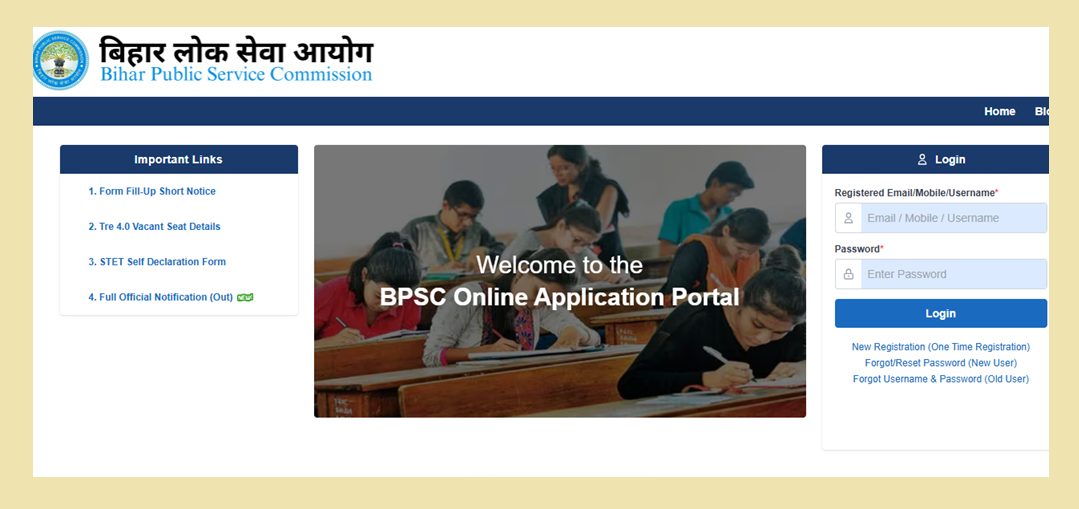
If you are preparing for a teaching job in Bihar, you probably do not want to miss an important recruitment update simply because you misunderstood the registration process. That is why understanding BPSC TRE 4.0 OTR Registration 2026 is important before you begin filling out the teacher recruitment form.
The Bihar Public Service Commission (BPSC) conducts teacher recruitment examinations for eligible candidates seeking teaching positions in government schools. Before applying for a particular recruitment, candidates may need to create or access their profile through the commission’s online application system.
One common mistake is assuming that creating an account completes the entire recruitment process. It does not necessarily work that way. Your candidate profile and your application for a specific teaching recruitment are separate steps.
Here is what you should know before starting your registration.
BPSC TRE 4.0 OTR Registration 2026: Quick Information
| Information | Details |
|---|---|
| Commission | Bihar Public Service Commission |
| Recruitment | TRE 4.0 School Teacher Recruitment |
| State | Bihar |
| Registration system | One Time Registration (OTR), where required |
| Application method | Online |
| Recruitment year | 2026 |
| Registration and application dates | Check the latest official notice |
| Application portal | https://dev.oamsbpsc.in/candidate/ |
| Official website | https://bpsc.bihar.gov.in/ |
Before you start: Confirm that the TRE 4.0 application is available on the official portal and check the current closing date. A date mentioned in an older article may no longer be applicable if the commission has issued a revised notice.
What Does OTR Mean for BPSC TRE 4.0?
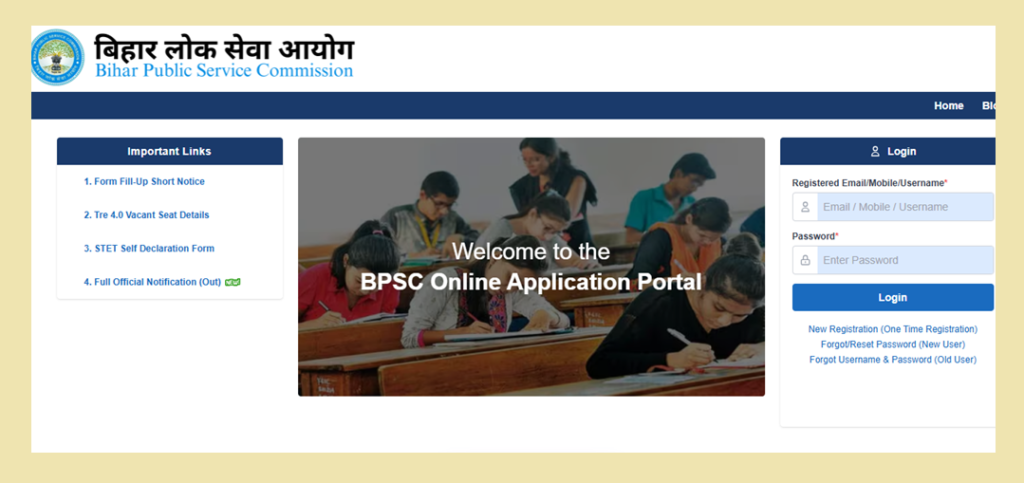
Imagine that you want to apply for a teaching post but have never used the BPSC application website before. You may first need to establish your candidate account and enter your basic information.
This initial profile creation is known as One Time Registration, or OTR.
Once your profile is ready, you can follow the instructions for the recruitment you want to apply for. The system may ask you to provide additional details, select the relevant post, submit supporting documents and complete the required payment.
The important point is that registering on the portal is not the same as applying for a teaching post. Always check whether your TRE 4.0 application has been submitted successfully.
If you already have a BPSC account, try logging in first. Creating another account without checking your existing registration could cause unnecessary confusion.
BPSC TRE 4.0 Registration 2026: Check These Dates First
Before spending time preparing your application, find out whether the registration window is open.
The most useful dates to verify are:
| Important event | What candidates should check |
|---|---|
| Registration opening | When the portal begins accepting applications |
| Application closing | The final date for submitting the form |
| Fee payment deadline | The last date for completing the required payment |
| Correction window | Whether changes can be made after submission |
| Examination date | The schedule announced by BPSC |
| Admit card | The official release announcement |
Do not assume that the application deadline and payment deadline are always the same. Read the current notification carefully and save a copy for reference.
How to Complete BPSC TRE 4.0 OTR Registration Online
You can begin by visiting the BPSC online application portal.
Official portal: https://dev.oamsbpsc.in/candidate/
Follow the instructions displayed on the website.
First, check whether you already have an account. If you have previously registered with BPSC, use the existing login details or the account-recovery facility.
If you are a new user, choose the registration option available on the portal. Enter the requested personal and contact information accurately.
Next, complete any required verification. If the website sends an OTP or asks you to verify your contact details, follow the instructions shown on the screen.
After creating your profile, save your login information and any registration reference provided by the system.
Finally, open the available recruitment section and look for the TRE 4.0 application. Read the advertisement before continuing so you understand which teaching posts are open and whether you satisfy their requirements.
The exact screens and steps may change when the commission updates its online system, so follow the instructions currently displayed on the official website.
How to Submit the TRE 4.0 Application Form
Once you have access to your candidate profile, the next task is to complete the actual recruitment application, if applications are open.
Start by reading the eligibility conditions for the teaching level you want to apply for. Different posts can have different educational and professional qualification requirements.
Then proceed with the application:
- Log in to the BPSC online portal.
- Open the relevant TRE 4.0 recruitment advertisement.
- Read the post-specific instructions.
- Enter the information requested in the application.
- Upload the required documents in the prescribed format.
- Review your details before submitting the form.
- Complete the applicable fee payment.
- Save the final acknowledgement and payment receipt.
Take particular care when entering your name, date of birth, qualification details and category information. Incorrect information may cause difficulties during later verification.
After submitting the form, return to the application section to check whether the system shows a successful submission or any outstanding requirement.
What Should You Prepare Before Opening the Form?
You can save time by collecting your information before starting registration. Depending on the post and the official notification, you may need:
- Personal and contact details.
- Identity information.
- Educational certificates and marksheets.
- Teacher training qualification details, where required.
- Eligibility test information or certificates, where applicable.
- A recent photograph and signature.
- Category or reservation documents, if applicable.
- Any additional declarations specified by BPSC.
Keep digital copies ready in the format accepted by the portal. There is no benefit in rushing through the application only to discover that an important document is missing.
Who Should Apply for BPSC TRE 4.0?
The recruitment is intended for candidates who meet the conditions specified for the advertised teaching posts.
However, there is no single qualification rule that should automatically be applied to every teaching level. Requirements can vary according to the classes being taught, the subject and the relevant recruitment rules.
Before applying, check three things:
- Whether your educational qualifications match the advertised post.
- Whether you possess the required teacher training or eligibility qualifications, where applicable.
- Whether you meet the age, reservation and other conditions stated in the official notification.
If you are unsure about your eligibility, read the recruitment advertisement before paying the application fee.
Also Read: LDA Plot Scheme 2026: Registration, Eligibility & Plot Price
What If Your OTR Is Complete but the Application Is Not Submitted?
This is worth checking because candidates sometimes stop after creating their account.
Log in to the official portal and look for the TRE 4.0 recruitment application. If a separate application form is available, complete the remaining steps and check the submission status.
If you have paid a fee, keep the receipt and verify the payment status. If the portal does not confirm your submission, follow the official instructions for resolving the issue.
Do not assume that a successful login, an OTR reference number or a payment message automatically means your recruitment application is complete.
How to Stay Updated About BPSC TRE 4.0
Recruitment information can change, so it is better to follow the commission directly rather than depending entirely on social media posts.
Visit the official BPSC website at https://bpsc.bihar.gov.in/ and check its recruitment notices and examination updates.
Pay attention to announcements about revised dates, eligibility conditions, examination schedules and admit cards. If you find information on another website, compare it with the official notification before taking action.
Also keep your registered mobile number and email address accessible so that you can respond to any communication or verification requirement.
Frequently Asked Questions
What is BPSC TRE 4.0 OTR Registration 2026?
It refers to the candidate-profile registration process associated with the BPSC online application system for candidates preparing to apply for TRE 4.0 recruitment.
Can I apply for TRE 4.0 immediately after OTR?
You must follow the separate application instructions for TRE 4.0, complete the required details and submit the recruitment form. OTR alone should not be treated as a completed application.
What is the last date for BPSC TRE 4.0 registration?
Check the latest recruitment advertisement and official application portal for the confirmed deadline. Do not rely on an unverified date.
What should I do if I already have a BPSC account?
Try logging in with your existing credentials. Use the official recovery facility if you cannot access the account.
Is the application process completely online?
Registration and application are handled through the online system when the relevant recruitment window is open. Follow the notification for any additional requirements.
Where can I find the official BPSC TRE 4.0 application link?
Visit https://dev.oamsbpsc.in/candidate/ and check the available recruitment applications. You can also access official announcements through https://bpsc.bihar.gov.in/.
Final Thoughts
For candidates hoping to become government school teachers in Bihar, the first priority is to understand the BPSC registration process and prepare the correct information before applying.
Do not confuse creating an OTR profile with completing the recruitment application. Check the eligibility conditions for your preferred teaching post, follow the instructions on the official portal and save proof of your final submission.
A few minutes spent checking the details can help you avoid preventable mistakes when applying for a teaching opportunity.